For many people, using ChatGPT without creating an account sounds like the perfect solution. Maybe you want a quick answer, don’t want another email tied to a new account, or simply prefer keeping things simple. Fortunately, OpenAI now allows users to access ChatGPT without signing in, making it easier than ever to test AI or ask a quick question.
That said, the experience is not exactly the same as using ChatGPT with an account. While guest access works surprisingly well for basic conversations, several important features are unavailable. Depending on what you need, those restrictions can either be a minor inconvenience or a major limitation.
Over the past few weeks, we explored ChatGPT’s no-login mode and compared it with other alternatives. Here’s what we found, along with a few practical workarounds if you’d rather avoid creating an account.
Why Do People Want to Use ChatGPT Without an Account?
There are several reasons why users look for a free ChatGPT experience without logging in.
For some, it’s simply about privacy. They don’t want every question, idea, or experiment attached to a personal account. Others may only need AI occasionally and don’t see the point of registering for a service they rarely use.
We’ve also noticed another common reason. Many users hit the usage limits on ChatGPT’s free plan and start looking for alternative ways to continue chatting without waiting for their quota to reset.
Based on user feedback and online reviews, the appeal is clear:
- No sign-up process
- No email verification
- Faster access
- More privacy
- Useful for quick tasks
However, it’s important to understand that conversations are still processed through OpenAI’s systems. They simply aren’t attached to your personal account history.
Quick Navigation
- Why people use ChatGPT without logging in
- How to access ChatGPT without an account
- Why OpenAI offers guest access
- Features available in guest mode
- Features that require login
- Why these limitations exist
- Popular prompts people use
- Comparison with other AI chatbots
- Model limitations explained
- Final thoughts
How to Use ChatGPT for Free Without Logging In
Getting started is extremely simple.
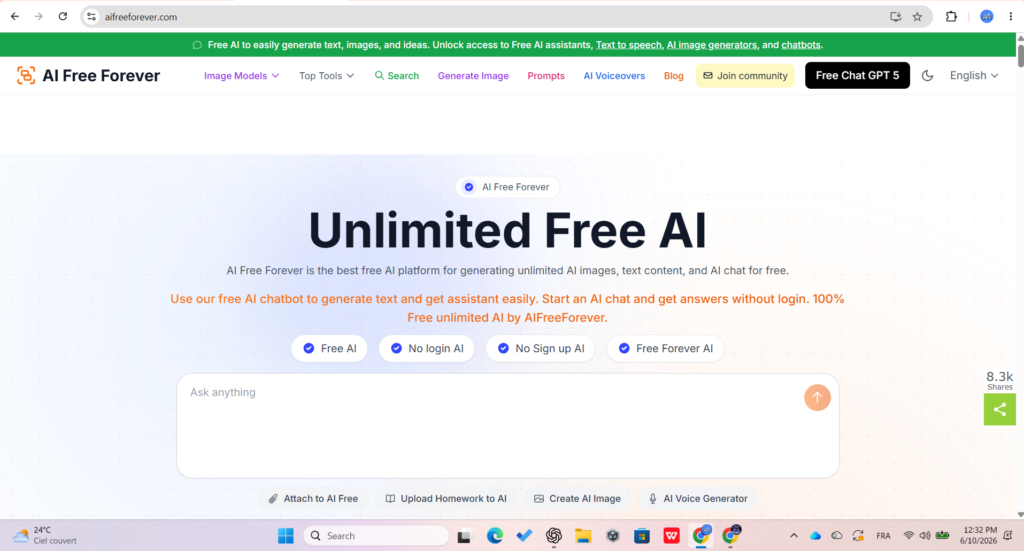
Just visit the ChatGPT homepage and begin typing your question. There’s no registration form, no email confirmation, and no onboarding process.
For many casual users, this frictionless experience is one of the biggest advantages of guest mode.
If your goal is simply to ask a question, summarize content, brainstorm ideas, or get help with writing, you can start immediately.
The entire process takes less than a minute.
Why Did OpenAI Introduce a No-Login Version?
OpenAI’s decision makes a lot of sense from a business perspective.
Allowing people to test ChatGPT without creating an account lowers the barrier to entry and helps new users experience the product immediately.
Many visitors want to see what AI can do before committing to an account. Guest access gives them that opportunity.
The trade-off is fairly straightforward:
- Faster access
- Less personalization
- No saved conversations
- Limited advanced features
One thing worth remembering is that conversations are not transferred if you later decide to sign in. Once you refresh or leave the page, your guest chat disappears.
What Can You Do Without Logging In?
Image
Guest mode is more capable than many people expect.
For basic AI conversations, it handles most common tasks perfectly well.
Available Features
| Feature | Available Without Login |
|---|---|
| Text Chat | ✅ Yes |
| Question Answering | ✅ Yes |
| Basic Writing Help | ✅ Yes |
| Web Search | ✅ Yes |
| Photo Uploads | ✅ Yes |
| Mobile Voice Input | ✅ Yes |
Typical Use Cases
Users commonly rely on guest mode for:
- Homework help
- Quick research
- Writing assistance
- Brainstorming ideas
- Summarizing information
- Coding explanations
- General questions
For many people, these features are more than enough for daily use.
My Take
For casual users, guest mode feels surprisingly complete. If you’re only using ChatGPT a few times a day, you may never notice the missing features.
The problems usually appear when you start working on larger projects or need more advanced AI tools.
What Cannot Be Done Without Logging In?
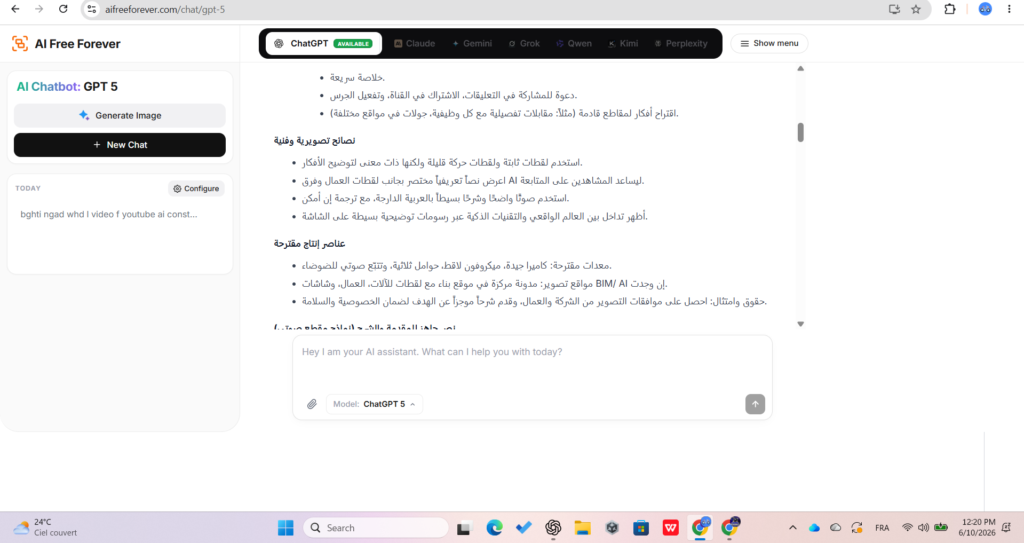
This is where the limitations become much more noticeable.
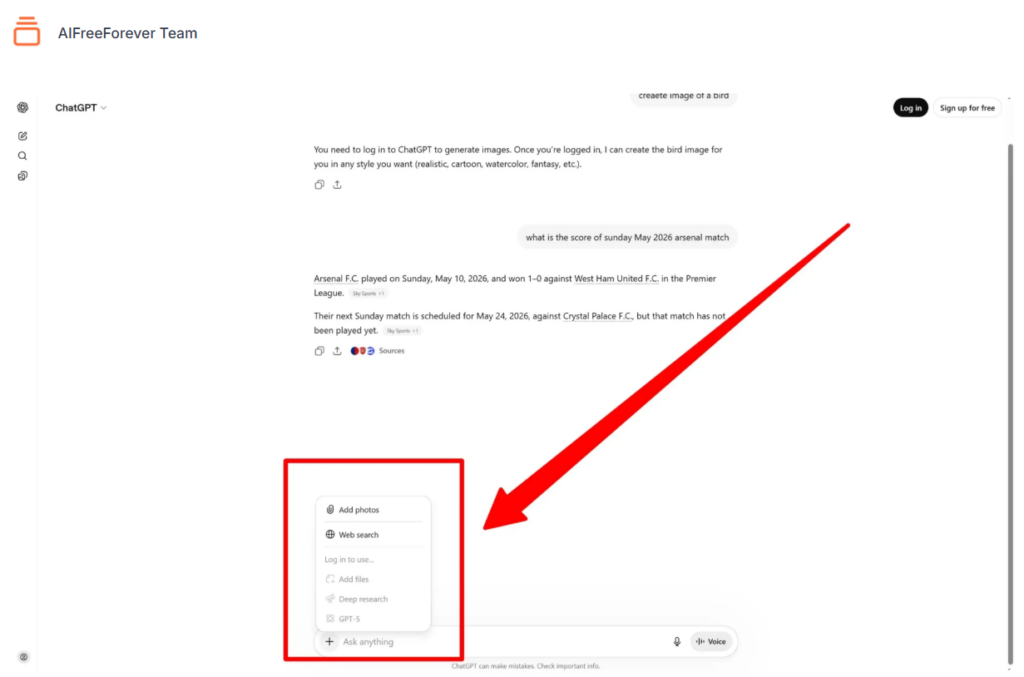
Several of ChatGPT’s most powerful features are locked behind account access.
Major Restrictions
| Feature | Requires Login |
|---|---|
| Image Generation | ✅ Yes |
| PDF Uploads | ✅ Yes |
| Word Documents | ✅ Yes |
| Excel Files | ✅ Yes |
| Deep Research | ✅ Yes |
| Chat History | ✅ Yes |
| Custom Instructions | ✅ Yes |
| Advanced Voice Mode | ✅ Yes |
One of the biggest disappointments for many users is image generation. Without signing in, the feature is unavailable.
Similarly, document uploads are restricted. While photo uploads may work, files such as PDFs, spreadsheets, and Word documents require an account.
Another important limitation is chat history.
If you refresh the page, your conversation disappears permanently.
That can be frustrating if you’re working on something longer or need to return to a previous discussion later.
Conclusion
Using ChatGPT without logging in is a convenient way to access AI quickly without creating an account or sharing personal information. For simple tasks like asking questions, brainstorming ideas, summarizing content, or getting writing assistance, guest mode works surprisingly well.
However, the experience comes with several limitations. Features such as image generation, document uploads, chat history, custom instructions, and advanced AI tools remain unavailable without an account. While these restrictions are understandable from OpenAI’s perspective, they can become frustrating for users who need more than basic AI assistance.
For casual users, guest access may be all that’s needed. But for students, professionals, content creators, and anyone working on larger projects, creating an account unlocks a much more complete experience.
Final Thoughts
ChatGPT’s no-login option is a great starting point for anyone who wants fast and easy access to AI. It removes barriers and lets users explore what AI can do without any commitment.
That said, if you regularly rely on AI for work, research, content creation, or productivity tasks, you’ll eventually run into the limits of guest mode. At that point, having an account becomes less of a convenience and more of a necessity.
The good news is that even with its restrictions, ChatGPT without login remains one of the easiest ways to try AI for free and see how it can help in everyday life.