Artificial intelligence is making content creation faster than ever. For my FootyFeed channel, I wanted to create a professional football prediction video without using a real camera, recording equipment, or a traditional video production setup.
Using a combination of Google AI Studio, ChatGPT, Photoshop, CapCut, TikTok, and YouTube, I was able to create a complete football prediction short from start to finish in less time than a traditional workflow.
In this article, I will explain exactly how I created the video, the tools I used, what worked well, the challenges I faced, and the lessons I learned along the way.
Step 1: Creating the Football Studio Presenter
The first step was generating an AI football presenter.
Instead of recording myself on camera, I created a realistic sports presenter image designed specifically for football content.
The goal was simple:
- Professional football analyst look
- Modern football studio
- Football-themed background
- Microphone setup
- Vertical 9:16 format for Shorts and TikTok
- Consistent FootyFeed branding
I used AI-generated images and refined the design until it matched the style I wanted for my channel.
The final image included:
- Football studio lighting
- FootyFeed logos
- Gaming-style desk setup
- Professional microphone
- Football graphics on background monitors
This gave the channel a unique identity while keeping production costs at zero.
Step 2: Using ChatGPT to Build the Content
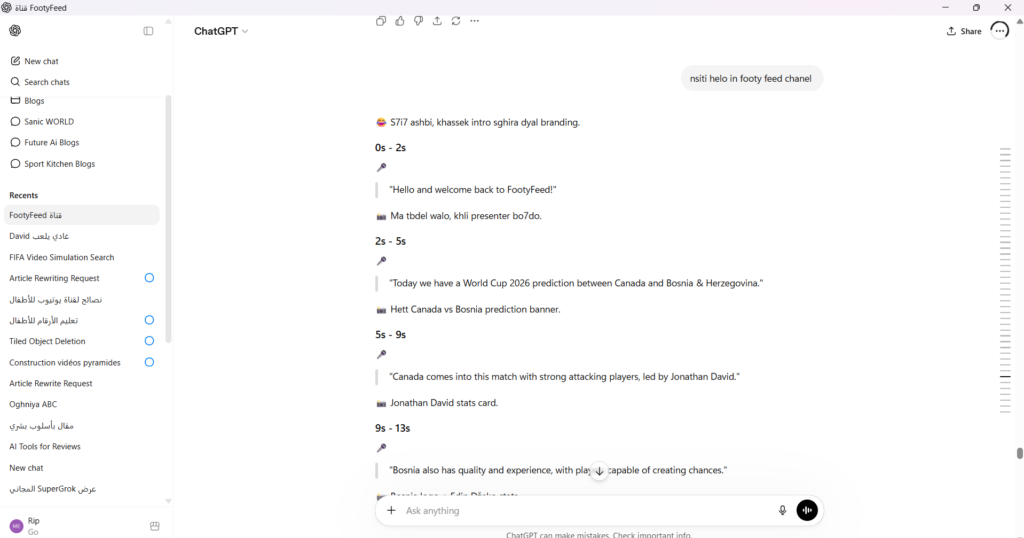
Once the presenter image was ready, I used ChatGPT to help structure the video.
ChatGPT was used for:
- Match prediction ideas
- Football analysis
- Video scripts
- Social media captions
- YouTube titles
- Thumbnail concepts
- Video structure planning
For the Canada vs Bosnia & Herzegovina prediction video, ChatGPT helped organize the content into a short and engaging format suitable for TikTok and YouTube Shorts.
The script included:
- Introduction
- Match overview
- Key player mention
- Final prediction
- Call to action
This structure helped keep the audience engaged throughout the entire short-form video.
Step 3: Generating Voice with Google AI Studio
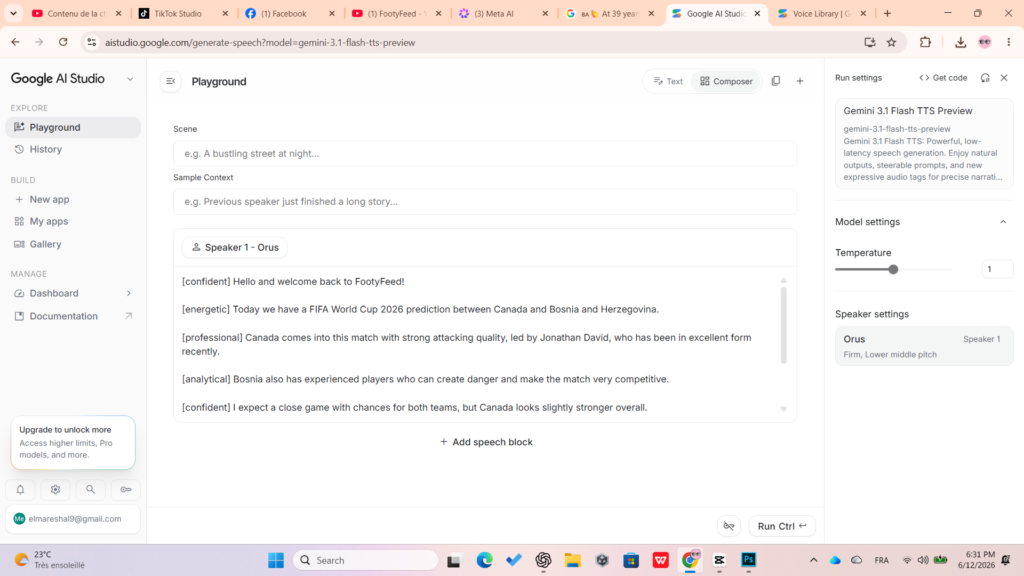
One of the most impressive parts of the workflow was using Google AI Studio.
Instead of recording my own voice, I generated an AI voiceover using Google’s text-to-speech technology.
Why Google AI Studio?
Google AI Studio offers:
- Natural sounding voices
- Different speaker styles
- Fast generation
- High quality output
- Easy script testing
I simply pasted my football prediction script and generated a realistic sports presenter voice.
The voice sounded professional and clear enough for social media content.
This saved time while maintaining consistency across videos.
Official Resource
For anyone interested in testing Google’s AI voice generation tools:
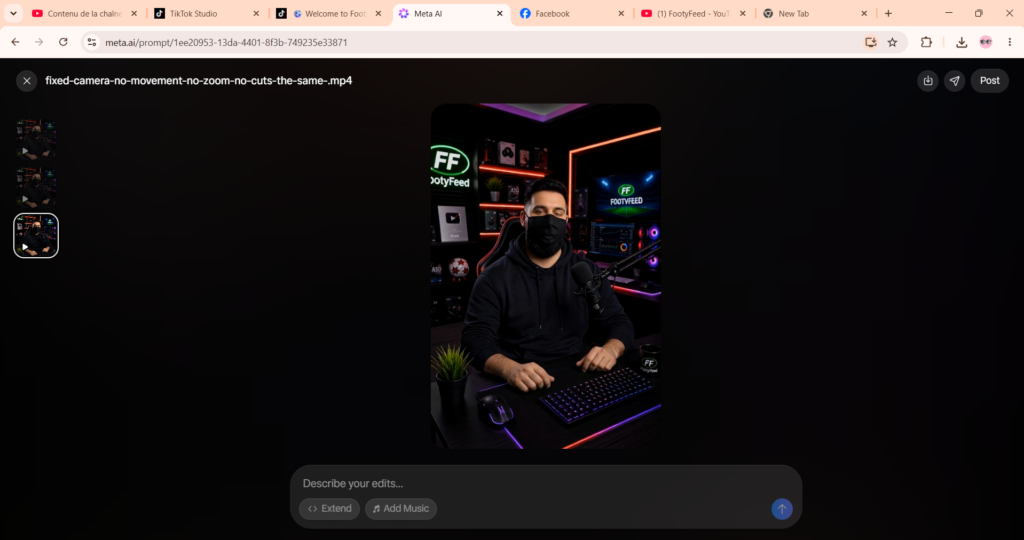
Step 4: Animating the Presenter
After creating the voiceover, I generated a talking presenter video.
The objective was:
- Fixed camera
- No zoom
- No cuts
- Realistic movement
- Natural blinking
- Lip synchronization
- Football presenter behavior
The AI presenter appeared to be delivering football analysis directly to viewers.
This transformed a static image into a realistic football host capable of presenting match predictions.
Image Suggestion 2
- Screenshot of Google AI Studio generating speech
- Screenshot of the AI presenter animation process
Step 5: Designing Prediction Graphics in Photoshop
The next stage was creating football prediction graphics.
I used Photoshop to design:
- Match prediction banners
- Team comparison graphics
- Score prediction cards
- Player statistic cards
For example:
- Canada vs Bosnia & Herzegovina prediction graphic
- Jonathan David statistics card
- Final score prediction overlay
These graphics helped make the video feel more professional and increased viewer engagement.
Photoshop allowed complete control over:
- Team logos
- Colors
- Typography
- Layout design
- Branding consistency
Step 6: Editing Everything in CapCut
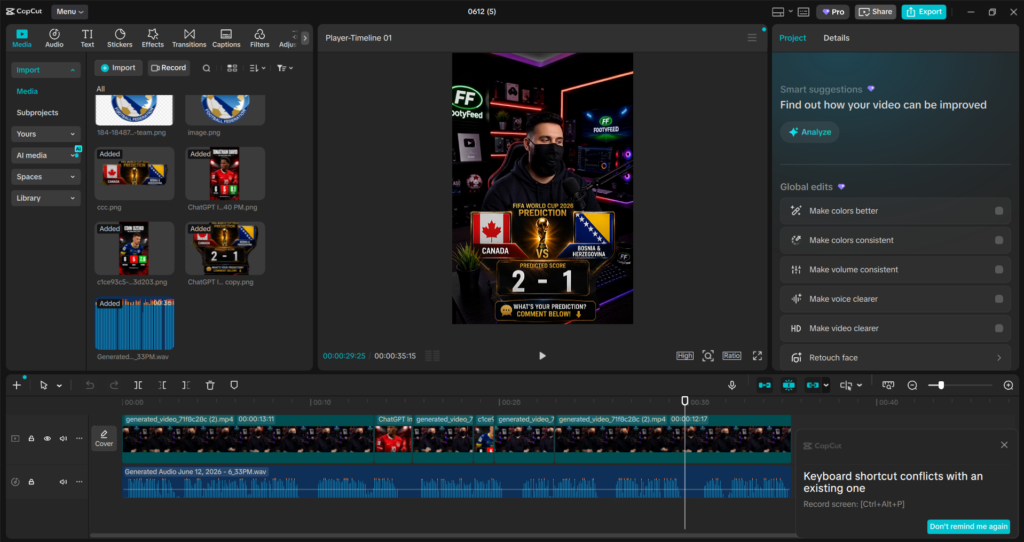
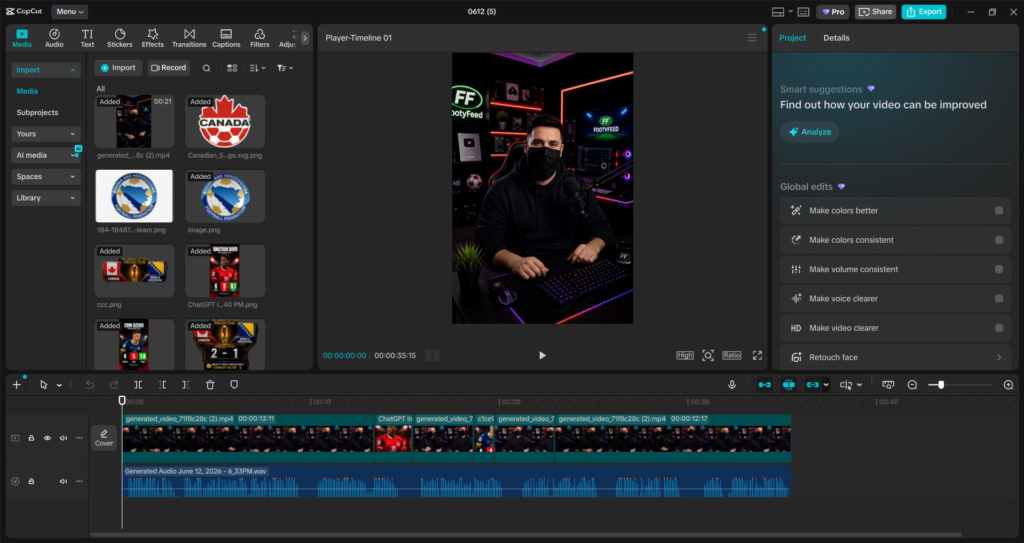
CapCut became the central hub where all assets came together.
I imported:
- AI presenter video
- Google AI Studio voiceover
- Prediction graphics
- Team logos
- Statistics cards
Inside CapCut I:
- Synchronized visuals with speech
- Added transitions
- Positioned overlays
- Adjusted timing
- Added football graphics
- Created a smooth viewing experience
CapCut was especially useful because it provides professional editing features while remaining beginner-friendly.
Official Resource
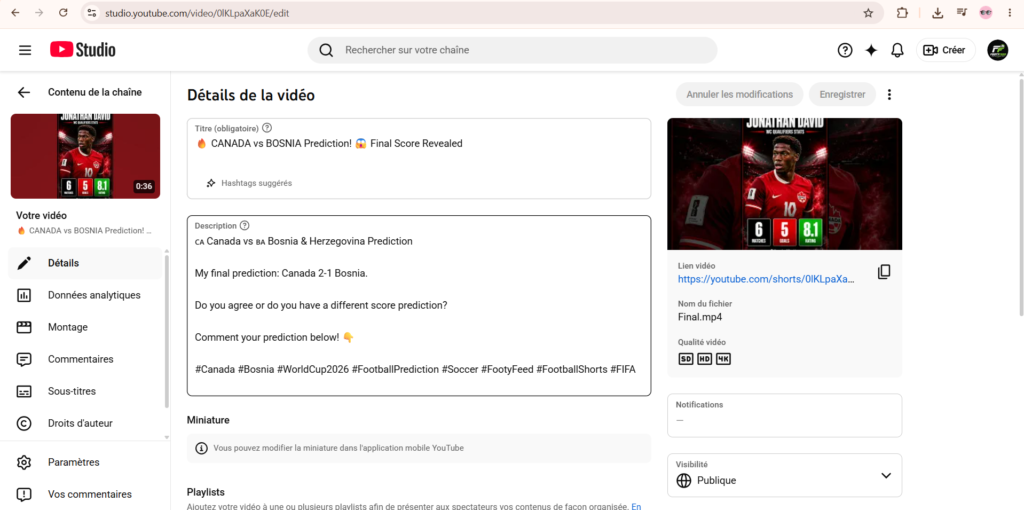
Step 7: Publishing on TikTok and YouTube Shorts
Once editing was complete, I exported the final video in:
- Vertical 9:16 format
- 1080×1920 resolution
- Mobile-friendly layout
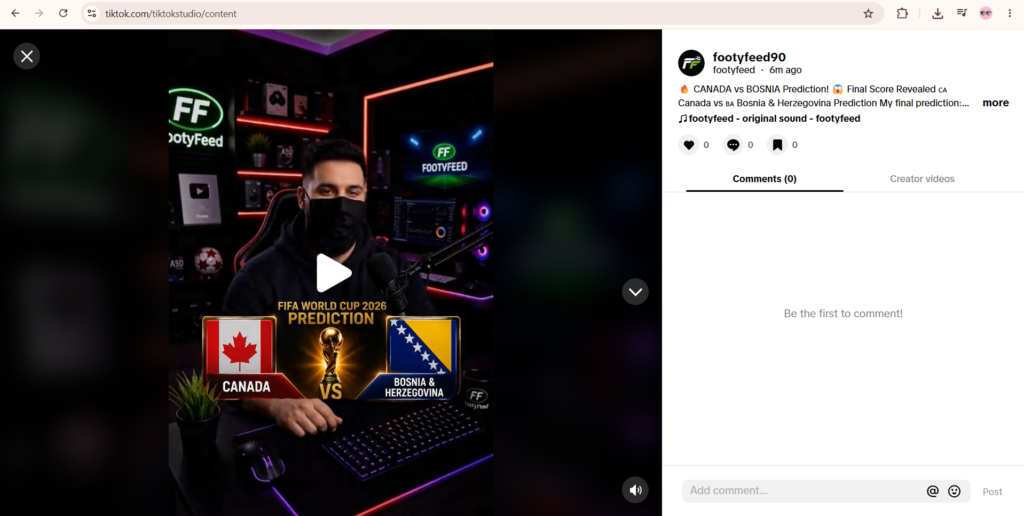
The video was then published on:
TikTok
TikTok is excellent for quick football predictions because users often engage heavily with prediction-based content.
Fans enjoy:
- Guessing scores
- Discussing outcomes
- Debating player performances
Official Platform:
YouTube Shorts
YouTube Shorts provides long-term discoverability and can continue generating views long after publication.
Official Platform:
What Worked Well
Several aspects of this workflow exceeded expectations.
1. AI Voice Quality
Google AI Studio produced natural-sounding speech that required very little adjustment.
2. Fast Production
A complete football prediction video could be created much faster than traditional recording methods.
3. Consistent Branding
Using the same AI presenter and football studio helped build the FootyFeed identity.
4. Low Cost
Most of the production process was completed without expensive equipment.
5. Scalability
The same workflow can easily be repeated for:
- Match predictions
- Transfer news
- Football facts
- Player analysis
- Match previews
Challenges and Limitations
No workflow is perfect.
Some challenges included:
AI Lip Sync Imperfections
Occasionally mouth movements were not perfectly synchronized.
Editing Time
Although generation is fast, organizing assets and timing graphics still requires effort.
Prompt Experimentation
Getting the ideal AI presenter often requires multiple prompt adjustments.
Graphic Preparation
Creating football graphics remains an important manual step for professional results.
Final Thoughts
Creating football content with AI has become incredibly accessible.
By combining ChatGPT, Google AI Studio, Photoshop, CapCut, TikTok, and YouTube, I was able to build a complete football prediction workflow for the FootyFeed channel.
The process allowed me to create a realistic football presenter, generate natural voiceovers, design prediction graphics, edit everything professionally, and publish the final video across multiple platforms.
As AI tools continue to improve, creating football content will become even faster, allowing creators to focus more on ideas, analysis, and audience engagement rather than complex production tasks.
For FootyFeed, this workflow has become the foundation for producing football prediction videos and future football-related content at scale.