Introduction
AI chatbots have become part of everyday life. Whether you’re writing emails, researching a topic, solving coding problems, or brainstorming ideas, tools like ChatGPT, Gemini, and DeepSeek can save a huge amount of time.
Many users focus on the benefits of these platforms, but fewer people talk about their limitations. While modern AI tools are incredibly powerful, they still come with restrictions that can affect productivity, accuracy, and overall user experience.
Understanding these limitations is important before relying on any AI chatbot for work, studies, or business tasks. In this guide, we’ll explore the biggest restrictions users encounter, compare popular AI platforms, and explain what these limitations mean in real-world situations.
At first glance, some of ChatGPT’s guest-mode restrictions can feel frustrating. However, there are practical reasons behind them.
Features such as image generation, file uploads, and advanced AI models require significantly more computing power than standard text conversations. By requiring users to sign in, OpenAI can better manage usage, reduce abuse, and keep infrastructure costs under control.
Chat history presents another challenge. Saving conversations requires associating them with a user account, which simply isn’t possible in a traditional guest session.
From OpenAI’s perspective, this approach creates a balance between accessibility and sustainability.
Why Certain Features Require Login
| Feature | Main Reason |
|---|---|
| Image Generation | High computing cost |
| File Uploads | Security and resource management |
| Deep Research | Advanced processing requirements |
| Chat History | Requires account-based storage |
| Custom Instructions | Needs persistent user settings |
| Advanced Voice | Higher infrastructure demands |
Personal Opinion
The restrictions make sense from a technical standpoint. While they may be inconvenient, they help keep the free version available to millions of users.
That said, if your workflow depends on file analysis, image creation, or long-term projects, you’ll likely find guest mode too limiting.
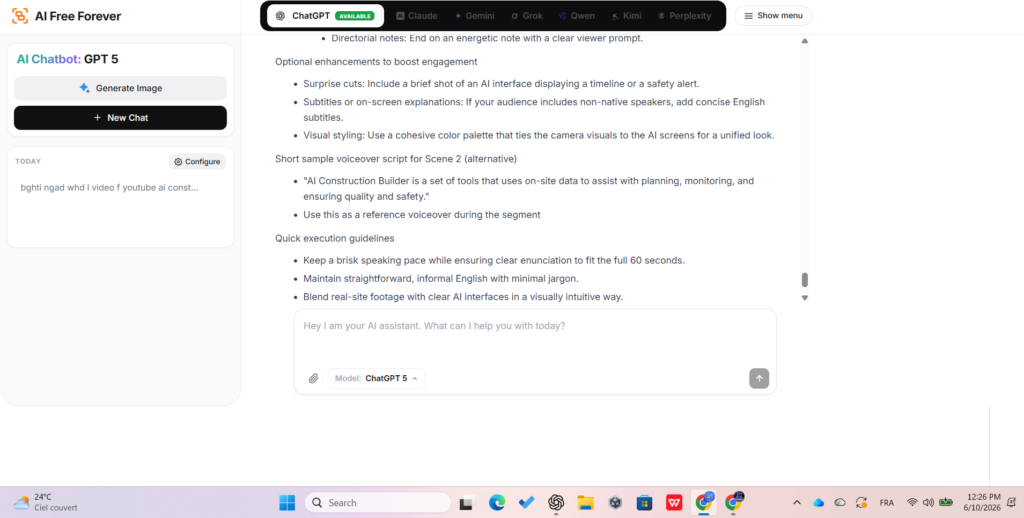
Popular ChatGPT Prompts People Use Without Logging In
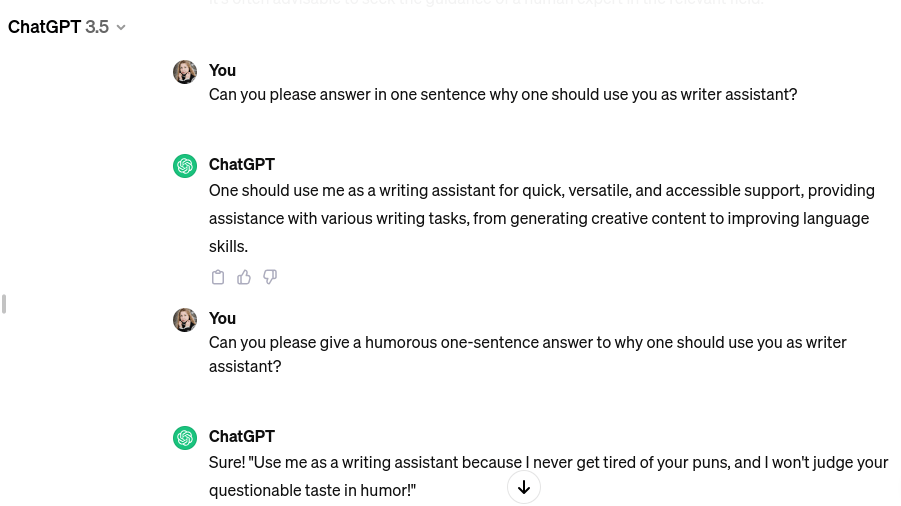
One interesting thing we noticed is that most users don’t visit AI chat platforms for complex research. Instead, they use them for quick, practical tasks that save time.
Below are some of the most common prompt categories we see.
| Profession | Example Prompt |
|---|---|
| Teacher | Create a lesson plan for teaching photosynthesis to 7th graders. |
| Marketer | Write 5 Facebook ads for a sustainable skincare brand. |
| Developer | Explain async/await in JavaScript with examples. |
| Student | Summarize the causes of World War I in five bullet points. |
| Small Business Owner | Draft a refund response email for a customer. |
| Recruiter | Rewrite a job description to sound more inclusive. |
| Designer | Suggest 10 brand names for a coffee startup. |
| Accountant | Explain cash vs accrual accounting in simple terms. |
| Healthcare Worker | Write a patient reminder email for an appointment. |
Best For
Guest mode works particularly well for:
- Quick questions
- Brainstorming
- Draft writing
- Homework assistance
- Research summaries
- Coding help
For these tasks, most users won’t notice the limitations at all.
The Most Popular Features in AI Chatbots Today
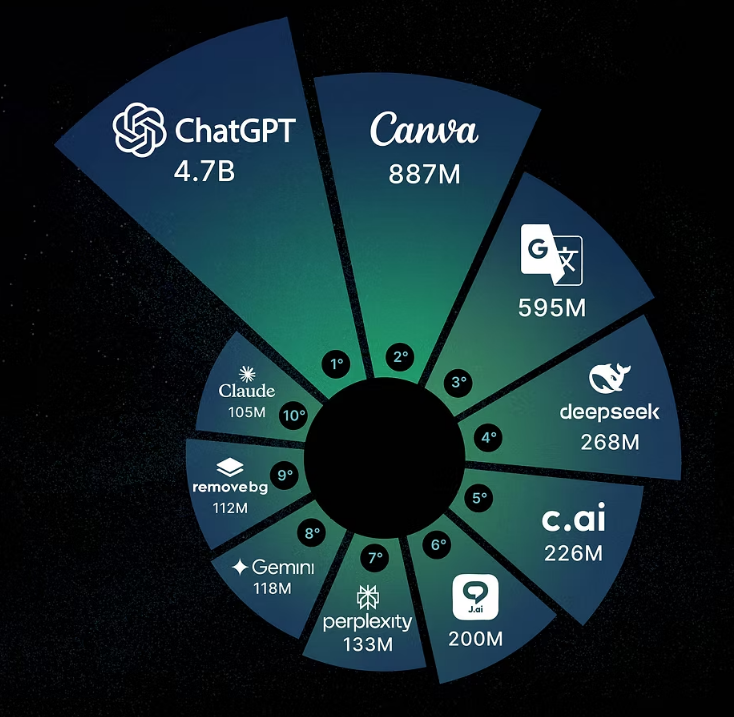
Modern AI chat platforms have evolved far beyond simple text conversations.
Many users now expect the ability to upload documents, generate images, and search the web directly from the chat interface.
File Attachments
One of the most heavily used features is document upload support.
Users frequently upload:
- PDF files
- Word documents
- Excel spreadsheets
- Images
Common use cases include:
- Summarizing reports
- Explaining homework
- Reviewing contracts
- Proofreading content
- Analyzing spreadsheets
This is an area where guest-mode ChatGPT currently falls behind because file uploads require an account.
AI Image Creation
Another rapidly growing feature is AI image generation.
Users often create:
- Logos
- Marketing graphics
- Blog illustrations
- Product concepts
- Social media visuals
For many creators, this capability has become just as important as text generation.
Web Search
Web search allows AI chatbots to provide fresher and more relevant information.
Instead of relying only on training data, modern AI tools can access current information and answer questions about recent events, products, and trends.
How This AI Chatbot Compares to Official ChatGPT
Although many AI platforms use OpenAI models behind the scenes, they do not all offer the same experience.
Some services focus on unlimited access, while others prioritize advanced features.
Comparison Table
| Feature | AI Chat Alternative | ChatGPT Guest Mode | DeepSeek | Gemini |
|---|---|---|---|---|
| Free Access | ✅ Unlimited | ✅ Limited | ✅ With Account | ✅ With Account |
| Login Required | ❌ No | ❌ No | ✅ Yes | ✅ Yes |
| Web Search | ✅ Yes | ✅ Yes | ✅ Yes | ✅ Yes |
| Deep Research | Limited | Login Required | Limited | Advanced |
| Image Generation | ✅ Available | Login Required | Limited | Login Required |
| File Uploads | ✅ Available | Login Required | Account Required | Account Required |
| Saved History | Session Only | Account Required | Account Required | Account Required |
Quick Summary
| Platform | Best For |
|---|---|
| ChatGPT Guest Mode | Quick questions and casual use |
| AI Chat Alternatives | Unlimited chatting |
| DeepSeek | Budget-friendly AI access |
| Gemini | Large context windows and Google integration |
Comparing Modern AI Model Limitations
Image
Even advanced AI models come with limitations.
Many users assume that creating an account instantly removes all restrictions, but that’s rarely the case.
Current AI Model Comparison
| Model | Notable Limitation |
|---|---|
| GPT Models | Message limits on free plans |
| DeepSeek | Usage throttling during peak times |
| Gemini | Daily quota restrictions |
| Claude | No true no-login option |
The reality is that every AI platform balances capability, cost, and accessibility differently.
As a result, limitations don’t disappear completely. They simply change depending on the platform you choose.
Why Many Users Choose Alternative AI Chatbots
Alternative AI chat platforms continue to grow because they solve a few common frustrations.
Many users appreciate:
- Unlimited conversations
- No sign-up requirements
- File upload support
- Web search capabilities
- Faster access
- Support for multiple languages
Key Advantages
✅ No account required
✅ Immediate access
✅ Free usage
✅ Works on desktop and mobile
✅ Supports multiple languages
✅ Useful when ChatGPT limits are reached
Who Should Consider Alternatives?
Alternative AI chat platforms may be worth exploring if:
- You dislike creating accounts.
- You frequently hit usage caps.
- You need quick access.
- You want a simple AI experience.
Final Thoughts
Image
ChatGPT without login is an excellent option for quick conversations, casual questions, and everyday tasks. The ability to start chatting instantly without creating an account makes AI more accessible than ever.
However, the experience comes with clear trade-offs. Features such as image generation, document uploads, chat history, and advanced research tools remain locked behind account access.
For occasional users, those limitations may not matter at all. But for professionals, students, creators, and anyone working on larger projects, the missing features can quickly become noticeable.
Ultimately, guest mode is best viewed as a convenient introduction to AI rather than a complete replacement for the full ChatGPT experience. If all you need is a quick answer, it’s more than capable. If you need advanced tools and long-term productivity features, logging in is still the better choice.