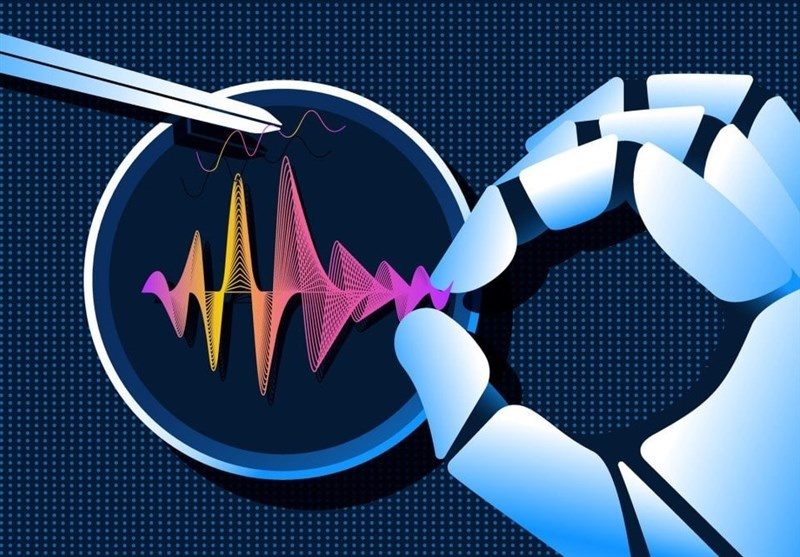
AI voice cloning has become one of the most exciting applications of artificial intelligence. As a content creator, I wanted to create a custom AI voice that I could use for YouTube videos, tutorials, and social media content without having to record my voice every single time.
After testing several AI voice tools, I finally decided to train my own AI voice model and see how realistic the results could be. In this article, I’ll share the complete process, including the tools I used, the challenges I faced, and the final results.
Why I Decided to Train an AI Voice Model
Recording voiceovers for every video can be time-consuming. Sometimes I needed to update a script, fix a mistake, or create content quickly.
An AI voice model offered several advantages:
- Faster content production
- Consistent voice quality
- Ability to generate voiceovers anytime
- Support for multiple languages
- Reduced recording time
This motivated me to start experimenting with AI voice cloning technology.
The AI Voice Tool I Chose
For this project, I decided to use ElevenLabs because of its reputation for producing realistic voice clones.
The platform offers an easy workflow:
- Upload voice samples
- Train the model
- Generate speech
- Fine-tune voice settings
The interface was simple enough for beginners while still providing advanced customization options.
Step 1: Recording Voice Samples
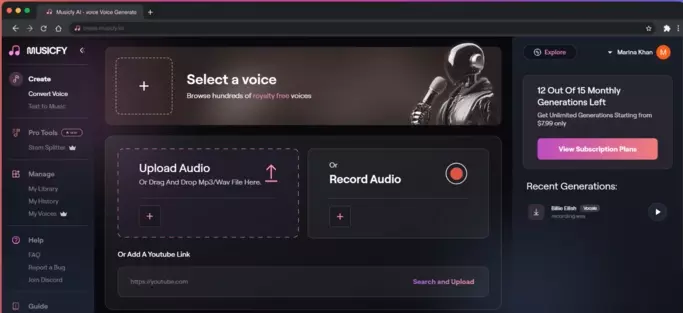
The first step was collecting voice recordings.
I recorded approximately 15 minutes of audio using a USB microphone in a quiet room.
To improve the quality of the training data, I made sure to:
- Speak clearly
- Use different sentence structures
- Change my speaking speed naturally
- Avoid background noise
The quality of the recordings turned out to be one of the most important factors in the final result.
Step 2: Uploading the Audio Files
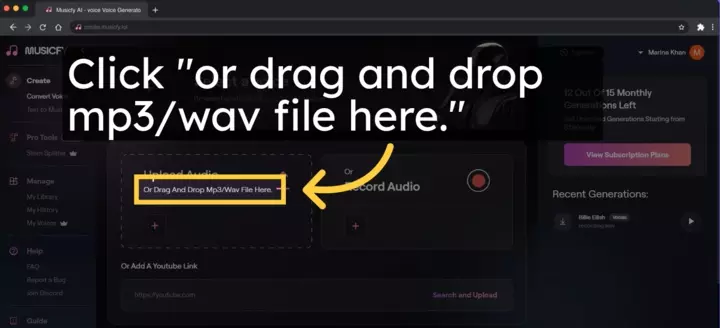
After preparing the recordings, I uploaded them to the AI platform.
The upload process was straightforward.
The platform automatically analyzed the audio and prepared it for training.
At this stage, I double-checked the files to ensure there were no corrupted recordings or excessive background noise.
Step 3: Training the AI Voice
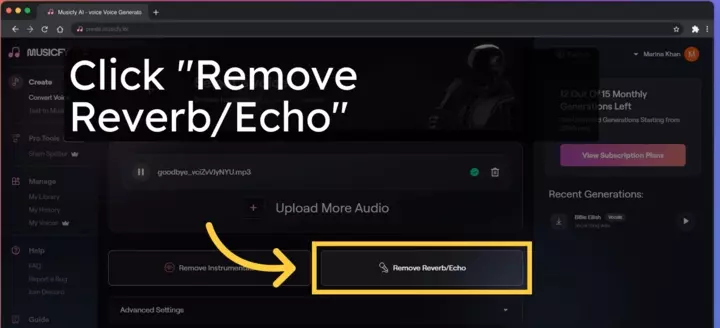
Once the files were uploaded, I started the training process.
The system analyzed:
- Voice tone
- Pronunciation patterns
- Speech rhythm
- Vocal characteristics
Training took several minutes to complete.
During this stage, the AI learned how my voice sounded and created a synthetic model capable of generating new speech.
Step 4: Testing the Voice Model
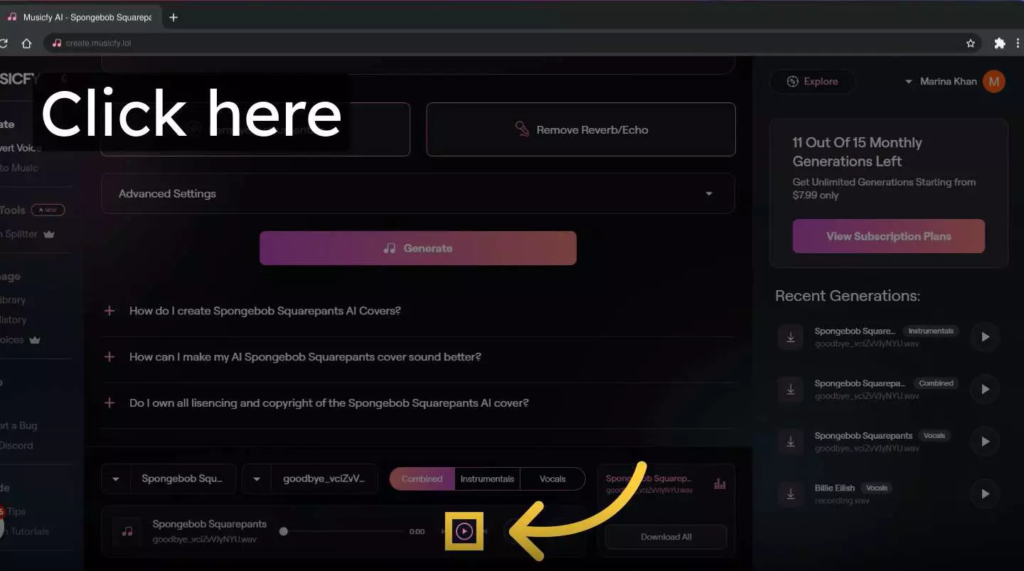
After training was complete, I entered a sample script and generated my first AI voice output.
The results were surprisingly good.
The cloned voice sounded very similar to my real voice, especially when reading simple sentences.
However, I immediately noticed a few issues:
- Some words were mispronounced
- Certain emotional expressions sounded robotic
- Long sentences occasionally felt unnatural
These issues are common during the first version of an AI voice model.
Challenges I Faced
Training an AI voice model was not perfect.
Some of the challenges included:
Background Noise
Even small noises affected the final quality.
Pronunciation Errors
The AI occasionally struggled with uncommon words and names.
Emotional Expression
The generated speech sounded less expressive compared to a real human recording.
Language Switching
Mixed-language content sometimes reduced accuracy.
Despite these challenges, the overall experience remained positive.
How I Improved the Voice Quality
To improve the model, I made several adjustments.
Better Audio Samples
I replaced lower-quality recordings with cleaner audio.
More Training Data
Adding additional voice samples helped improve consistency.
Script Optimization
Shorter and clearer sentences generated better speech.
Multiple Testing Sessions
Testing different settings helped identify the most natural voice configuration.
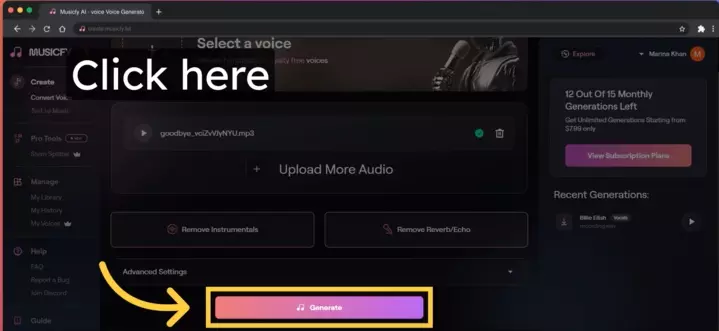
Results After Optimization
After making improvements, the voice quality increased significantly.
The generated speech became:
- More natural
- More consistent
- Easier to understand
- Better suited for YouTube narration
At this point, I felt comfortable using the AI voice for real content production.
Pros and Cons
Pros
- Saves time
- Consistent voice output
- Easy content creation
- Professional quality
- Works 24/7
Cons
- Requires good recordings
- Some pronunciation mistakes
- Emotional speech still has limitations
- Advanced features may require paid plans
Is AI Voice Training Worth It?
In my experience, the answer is yes.
If you regularly create videos, tutorials, podcasts, or social media content, training an AI voice model can dramatically speed up production while maintaining a consistent voice identity.
Although it is not yet a perfect replacement for human narration, the technology has improved enough to become a valuable tool for creators.
Final Thoughts
Training my own AI voice model was an interesting experience that showed how far voice cloning technology has advanced.
With the right recordings, a reliable AI platform, and some patience during testing, it is possible to create a realistic AI voice that can be used across many types of content.
As AI technology continues to evolve, voice cloning will likely become an essential tool for content creators, businesses, and educators looking to produce high-quality audio efficiently.